
Logging in
Everything you do with We Track IT happens in the dashboard. It runs in your web browser on a computer, tablet or phone, and you can install it as an app too.
The dashboard address is dashboard.wetrackit.com.au. Every Log in button on this website goes there too.
Log in
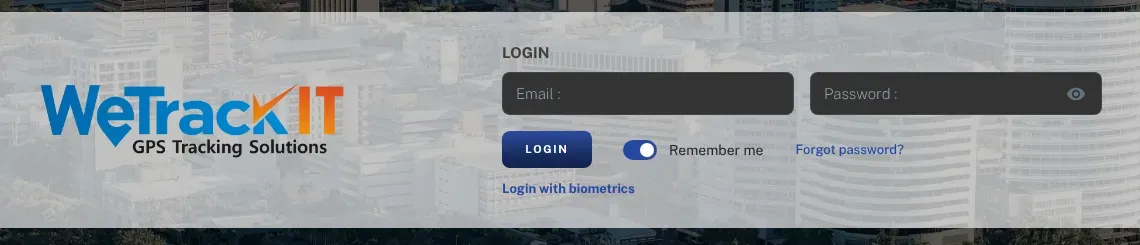
Section titled “Log in”- Open your web browser and go to dashboard.wetrackit.com.au.
- Enter the email address your account was set up with in Email.
- Enter your password in Password. The eye icon shows what you’ve typed.
- Click Login. Your vehicles appear on the live map.
Leave Remember me switched on if it’s your own computer or phone, so you stay logged in. Switch it off on a shared computer.
The login page also has a Login with biometrics link, for logging in with your device’s fingerprint or face unlock instead of typing a password.
Who gives me a login?
Section titled “Who gives me a login?”There are two ways to get one:
- New customer. We set up your account and the first user — usually the person who signed up. You’ll get your login details from us.
- Someone else in your team. We set up every login. Ask your manager to contact us with the person’s name and email address, and we’ll send them their details.
Forgotten your password?
Section titled “Forgotten your password?”- Go to the dashboard.
- Click Forgot password?, next to the Login button.
- Enter your email address.
- Follow the instructions in the email you receive to set a new password.
If the email doesn’t turn up within a few minutes:
- check your junk or spam folder;
- make sure you typed the same email address your account uses;
- or contact us.
Supported browsers
Section titled “Supported browsers”Use a current version of Chrome, Edge, Firefox or Safari, on a computer, tablet or phone.
If the dashboard looks wrong or won’t load:
- Make sure your browser is up to date.
- Refresh the page.
- Try a private or incognito window. If that works, clearing your browser’s cache usually fixes the normal window.
- Try another browser.
Keep your login safe
Section titled “Keep your login safe”- Don’t share logins. Ask us to set up a login for each person who needs one.
- When someone leaves your business, tell us straight away and we’ll remove their login.
- Use a password you don’t use anywhere else.
Still can’t get in?
Section titled “Still can’t get in?”Contact us or call us. Phone and email support runs during business hours, Darwin time. We’re a local team and can check your account for you.
Next: Your first day — what you’ll see once your trackers are live.