
Groups and organising your fleet
A handful of vehicles is easy to keep track of. Twenty utes across three depots is not. The platform lets you organise vehicles the way your business already works, so everyone can find what they need quickly.
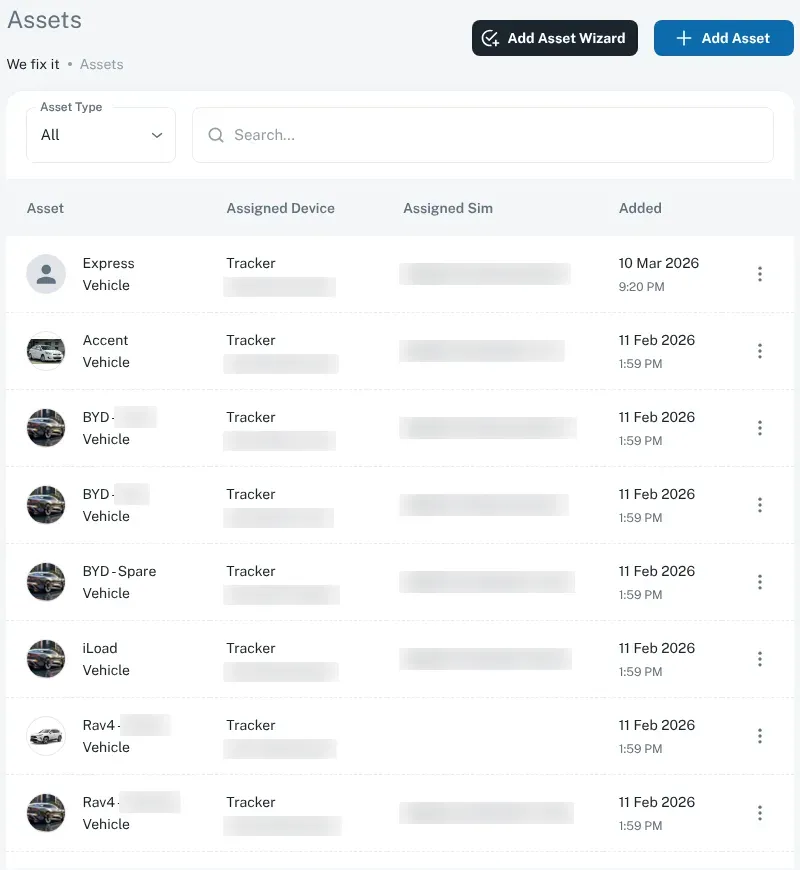
Name vehicles your way
Section titled “Name vehicles your way”Give each vehicle a name and ID that your team already uses — a fleet number, the rego, or a name like “Katherine Hilux 2”. Clear names make the map, alerts and reports much easier to read.
Good naming habits:
- Use the same pattern for every vehicle, such as
DEPOT – TYPE – NUMBER. - Include the rego if your team knows vehicles by it.
- Rename the vehicle when a tracker is moved to another vehicle.
Groups
Section titled “Groups”Groups let you sort vehicles into sets. Common ways to group a fleet:
- By depot or base — Darwin, Palmerston, Katherine, Alice Springs.
- By crew or team — plumbing, electrical, maintenance.
- By region — Top End, Central, remote communities.
- By job or contract — a mine site, a council contract.
Once vehicles are in groups, it’s much easier to focus on the vehicles you care about.
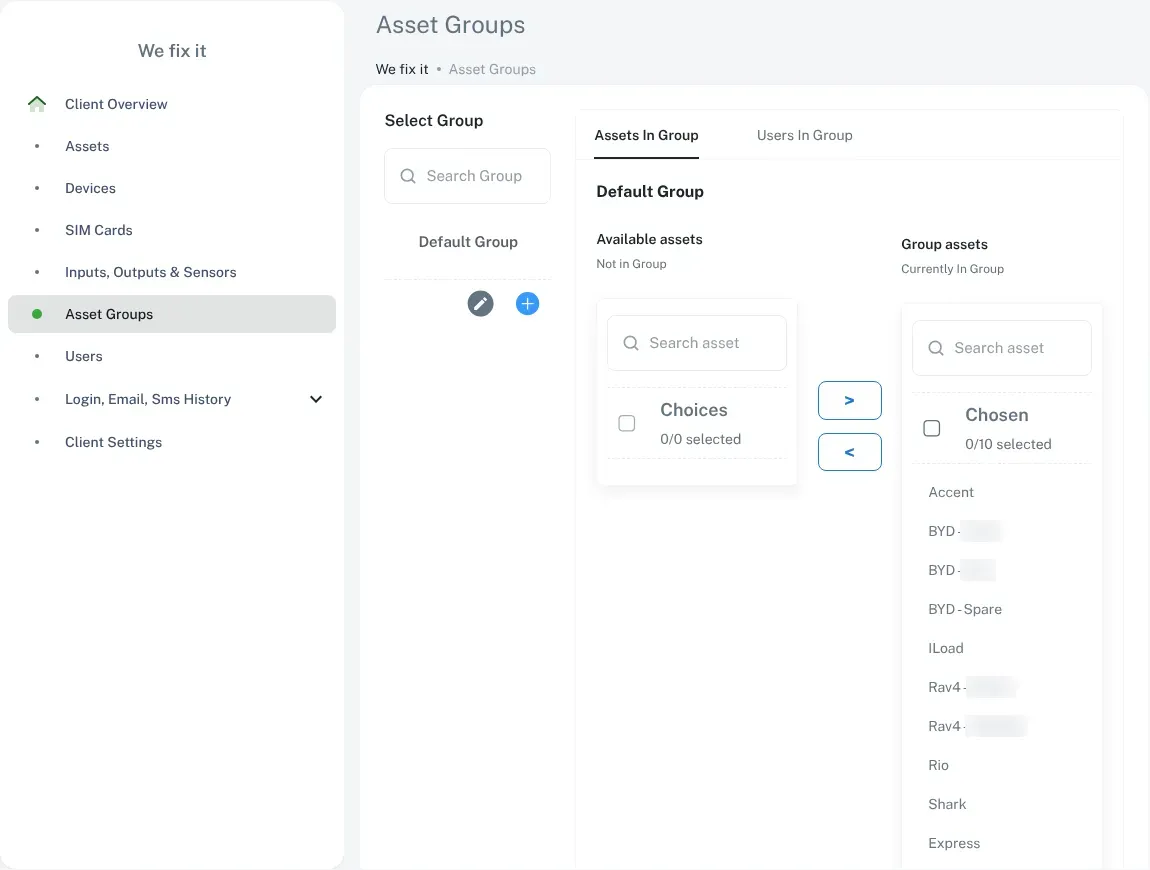
To set up groups:
- Log in to the dashboard.
- Go to Admin, then Asset Groups.
- Create a group and give it a clear name.
- Select the group. On the Assets In Group tab, move vehicles from Available assets to Group assets with the arrow buttons.
- Repeat for each group, then check every vehicle is in the right one.
Activation and deactivation dates
Section titled “Activation and deactivation dates”Each vehicle can have activation and deactivation dates. These are handy for vehicles that are only on the road for part of the year, like hire vehicles, seasonal crews or a short contract. When a vehicle’s deactivation date arrives, the platform records it, so nothing slips through the cracks.
If you want to stop paying for a vehicle, that’s a change to your plan, not just a date on the platform. See adding or removing vehicles.
Work modes, and clocking on and off
Section titled “Work modes, and clocking on and off”The platform supports work modes for vehicles, and clock in / clock out events. These can help separate work use from other use, or record when a shift starts and ends.
How these work best depends on how your business runs, so we set them up with you. Contact us if you’d like to use them.
Need a hand?
Section titled “Need a hand?”If something in your fleet set-up won’t change the way you expect, contact us and we’ll sort it out.