
Not receiving alerts
If something happened that should have raised an alert and nobody heard about it, work through this checklist. Most missed alerts come down to the alert rule, the phone number, or the SMS allowance.
Checklist
Section titled “Checklist”-
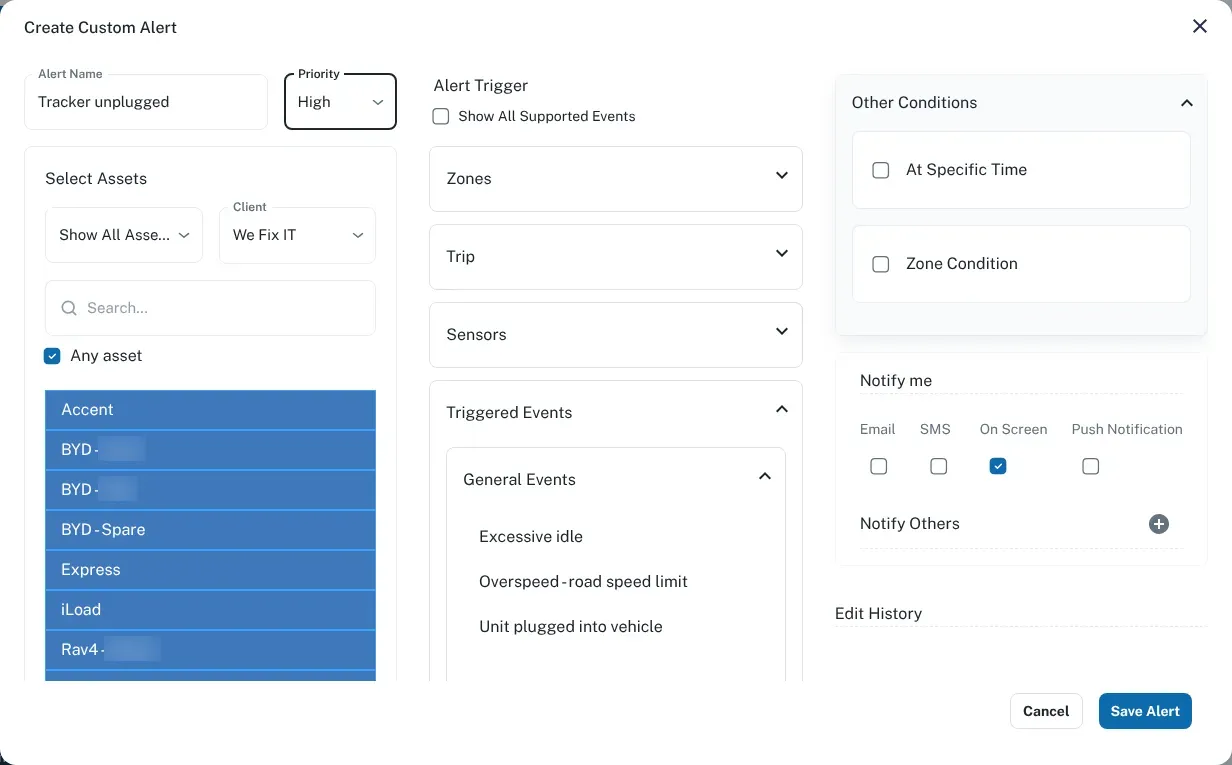
Is there an alert rule for that event? Alerts only go out for events you have set up a rule for. Check that a rule exists for the event you expected — for example, leaving a geofence, speeding, or the tracker being unplugged. See alerts and notifications.
-
Does the rule cover that vehicle? A rule can apply to some vehicles or groups and not others. If the vehicle was added recently, or moved to a different group, it may not be covered. See groups.
-
Is the rule set up the way you think? Check the details. For a speeding alert, which speed limit does it use? For a geofence alert, is it on entering, leaving, or both? Is it the right zone? Check the rule’s priority, too. See speeding and geofences.
-
Is the phone number right? Check the mobile number on the rule, digit by digit. A single wrong digit sends the alert to someone else.
-
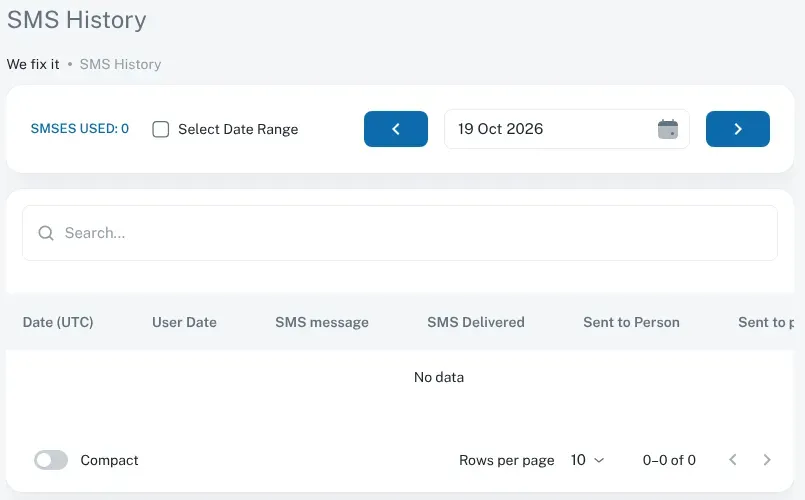
Has your SMS allowance run out? Each account has an SMS allowance. When it’s used up, SMS alerts stop until it’s topped up. A rule that fires often, such as speeding across a whole fleet, can use it up quickly. To see how many SMS alerts have gone out, go to Admin, then Login, Email, Sms History > SMS History. It shows SMSES USED for the day or date range you pick, and each message with whether it was delivered. If you think the allowance has run out, contact us.
-
Did the event show on the platform? Look at the vehicle’s history for the time it happened. If the event is there but no alert went out, the problem is the rule or the delivery. If the event isn’t there at all, the tracker didn’t report it — go to the next step.
-
Was the tracker online and set up to detect it? An alert can only fire if the tracker reports the event. If the vehicle was offline or out of coverage, see tracker offline. Some events, such as unplug, tow, impact and harsh driving, also depend on the tracker’s settings. We manage those for you, so call us if you think one isn’t being detected.
-
Is the phone blocking the messages? Check that the receiving phone has signal, isn’t blocking the sender, and isn’t filtering the messages as spam.
-
Using email or push notifications? Check which boxes are ticked under Notify me on the rule. For Email, check the address and look in your junk or spam folder. For Push Notification, check notifications are allowed on that device.
Still missing alerts?
Section titled “Still missing alerts?”Contact us and tell us:
- which alert you expected, and for which vehicle
- the date and time of the event
- who should have received it
We can check the tracker’s settings and the account’s alert setup from our end.