
Live map and vehicle status
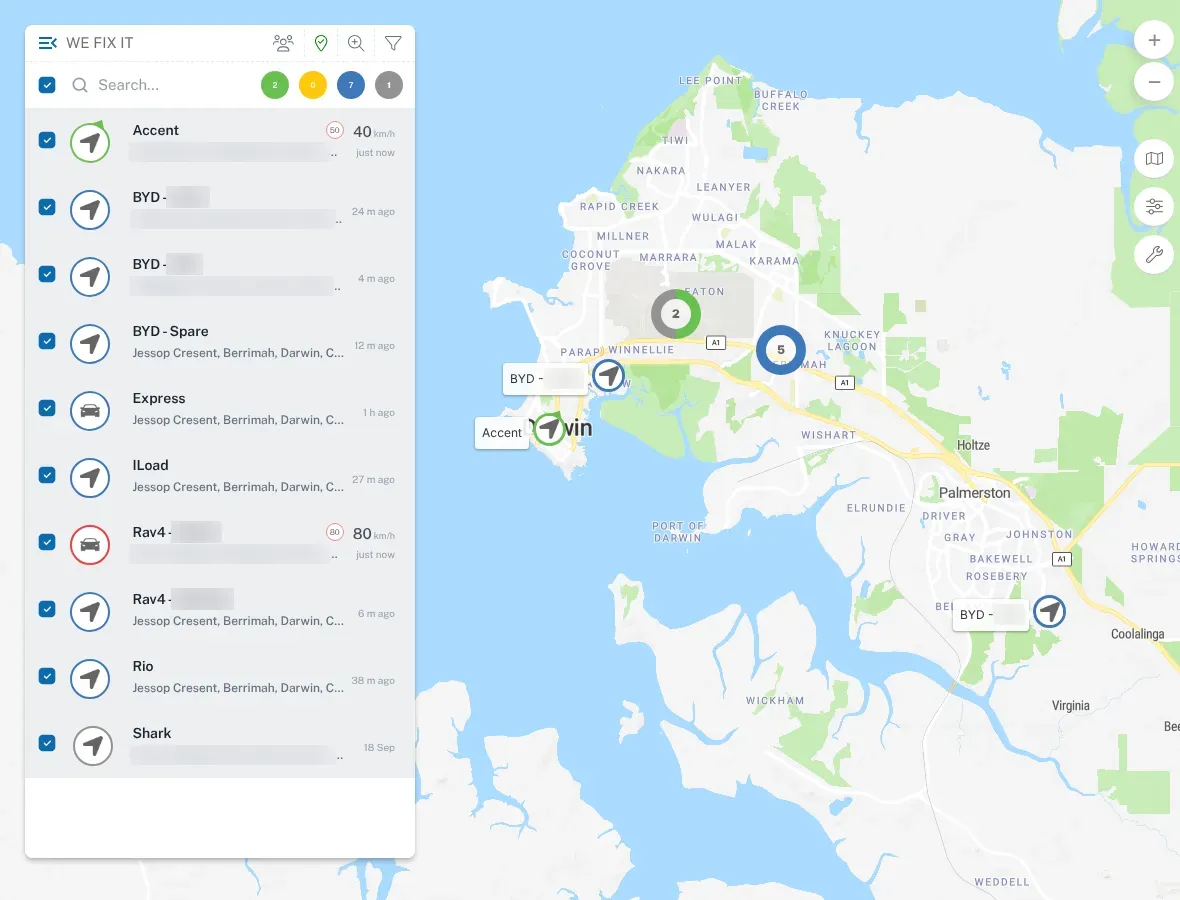
The live map is the first thing most people check each morning. It shows every vehicle on your account, where it is, and what it’s doing.
What the status means
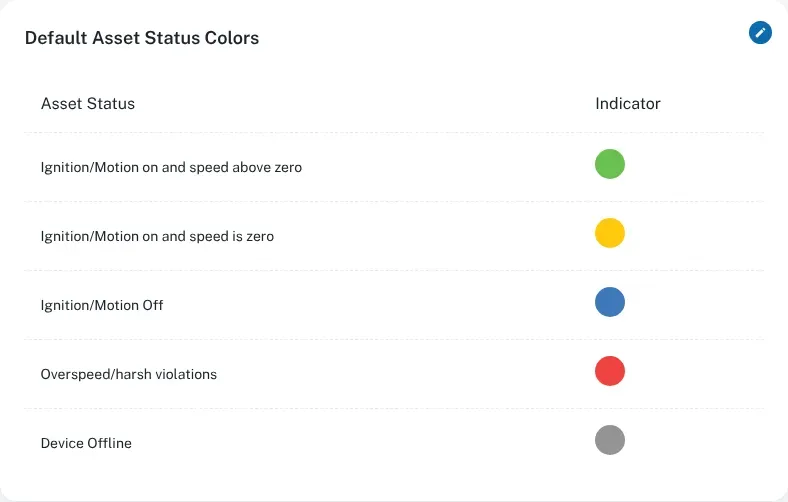
Section titled “What the status means”Each vehicle has a status, worked out from its ignition and whether it’s moving:
| Status | What it means |
|---|---|
| Moving | The ignition is on and the vehicle is moving. |
| Idling | The ignition is on, but the vehicle isn’t moving. Think of a ute left running at a job site or in a drive-through. |
| Parked | The ignition is off and the vehicle is stationary. |
| Offline | The tracker hasn’t reported for a while. See Tracker offline or not reporting. |
The coloured circles at the top of the vehicle list on the Map screen count how many vehicles are moving (green), idling (yellow), parked (blue) and offline (grey). Red marks a vehicle with an overspeed or harsh-driving violation.
Idling is worth watching. An engine running while parked burns fuel and adds engine hours for nothing. You can get alerts for excessive idling — see Driver behaviour.
Find a vehicle
Section titled “Find a vehicle”- Log in at dashboard.wetrackit.com.au.
- Go to Map. Look for the vehicle on the map, or type its name in the Search box above the vehicle list.
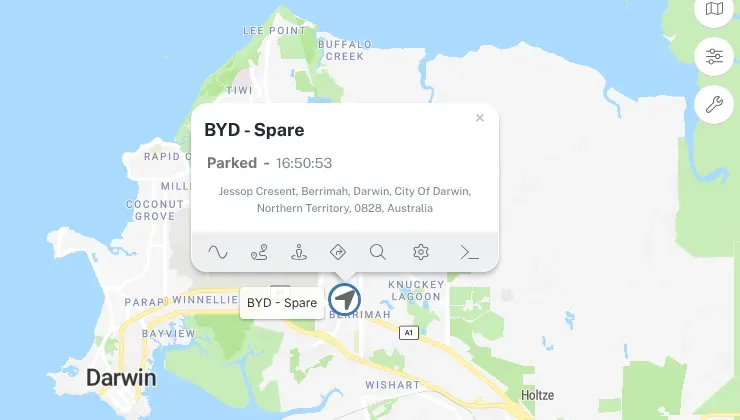
- Select the vehicle to see its details — where it is, its status and when it last reported.
- From there you can look back over its trips. See Trips and history.
Last known location
Section titled “Last known location”Every vehicle keeps a last known location. That’s the last position the tracker sent to the platform.
When a vehicle is parked, its last known location is simply where it’s parked. When a vehicle is out of mobile coverage, it’s the last place the tracker could report from.
What out of coverage looks like
Section titled “What out of coverage looks like”The Territory has plenty of country without mobile coverage. When a vehicle drives out of range:
- the vehicle stops updating on the live map and stays at its last known location;
- the tracker keeps recording positions and events in its own memory;
- when the vehicle gets back into coverage, the tracker uploads what it stored.
Once the stored records come in, the trip shows up in the vehicle’s history as normal. So a vehicle that looks “stuck” at the edge of town may just be out bush. Check the time it last reported before you worry.
The FMM003 stores about 422,400 records while it’s out of range. For more on the network it uses, see Coverage.